
How do I get an instant payout on HayloFriend?
Open Your impact, tap Ask the Universe, open the Reality tile, choose Instant, set the amount with the slider, and tap Get paid now.
Help center · Money
Need your money before Friday? When Instant is available on your account, you can send yourself a payout in a few taps. Watch the quick walkthrough, then follow the steps below.
Full video walkthrough · made with Trails
Before you start
When you'll see Instant
Want the full picture on speeds and fees first? Read Payout speeds.
Steps
Five quick steps. Your screen may look a little different as we keep improving things.
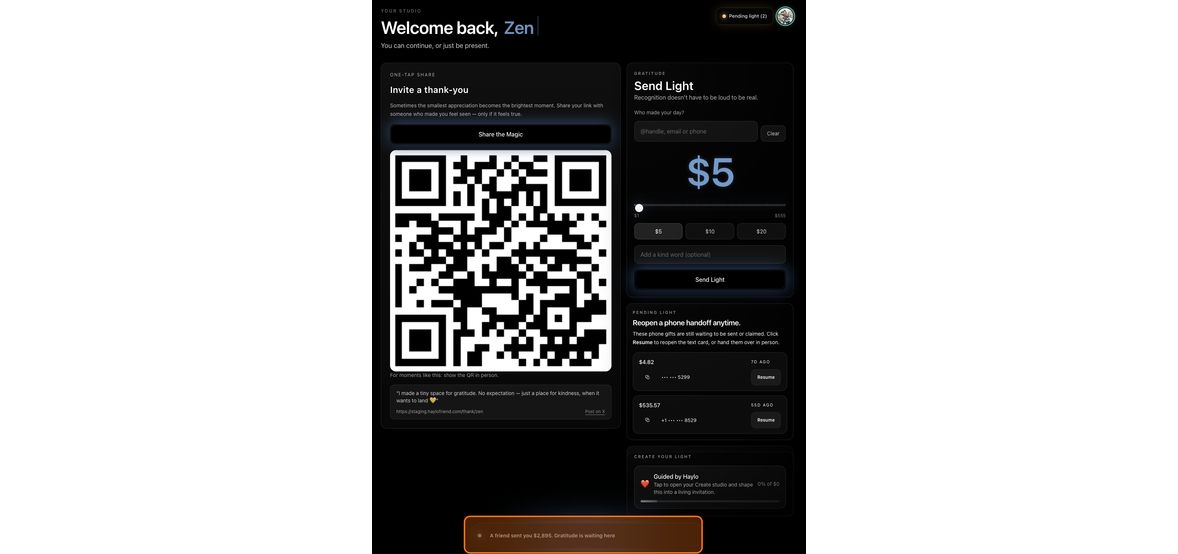
Open Your impact and tap Ask the Universe
Go to haylofriend.com/your-impact. At the bottom of the page, tap Ask the Universe.
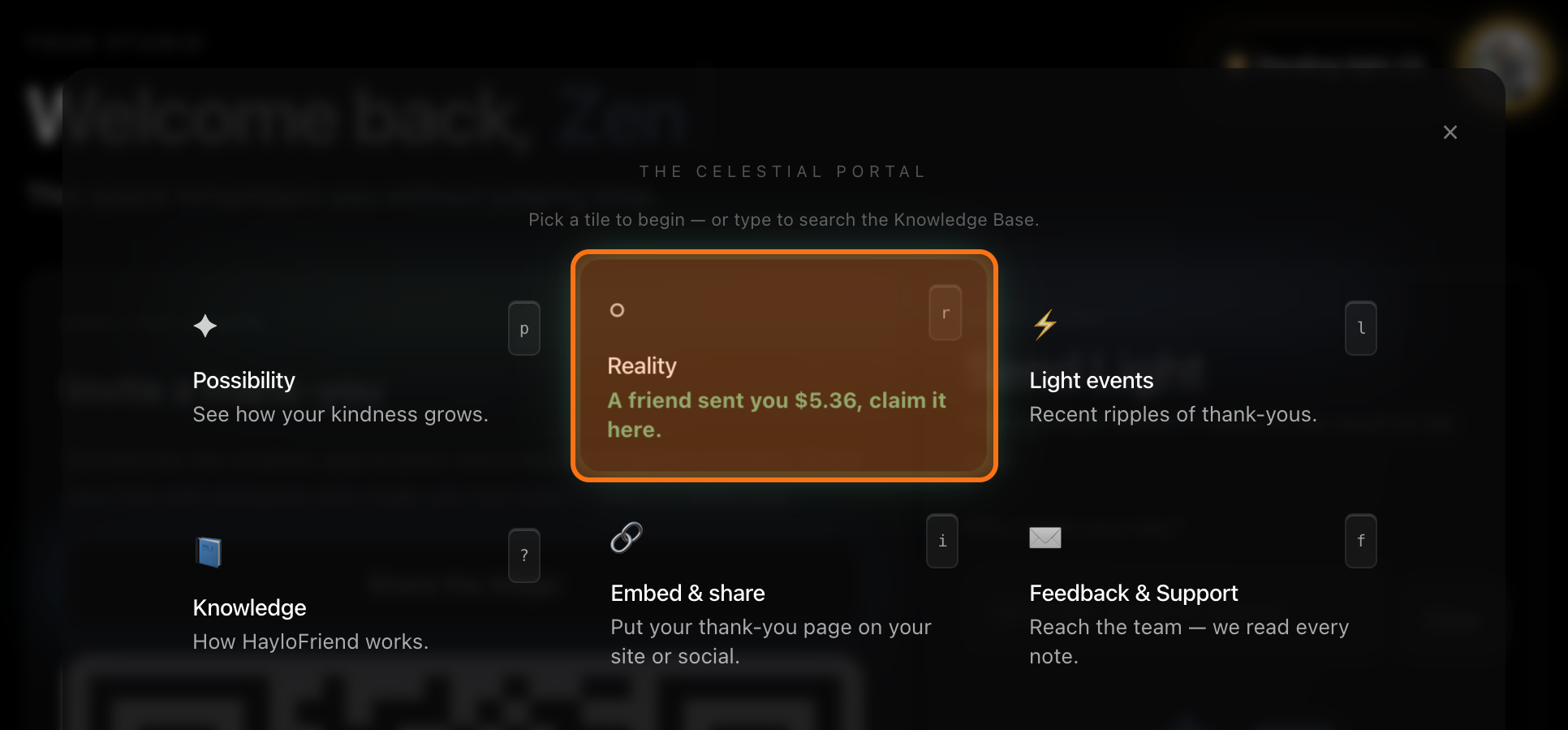
Open the Reality tile
The Ask the Universe panel opens. Tap the Reality tile.
Find your funds and choose a speed
The top of Reality shows your available funds and recent payouts. Scroll down to choose how to get paid: Standard or Instant.
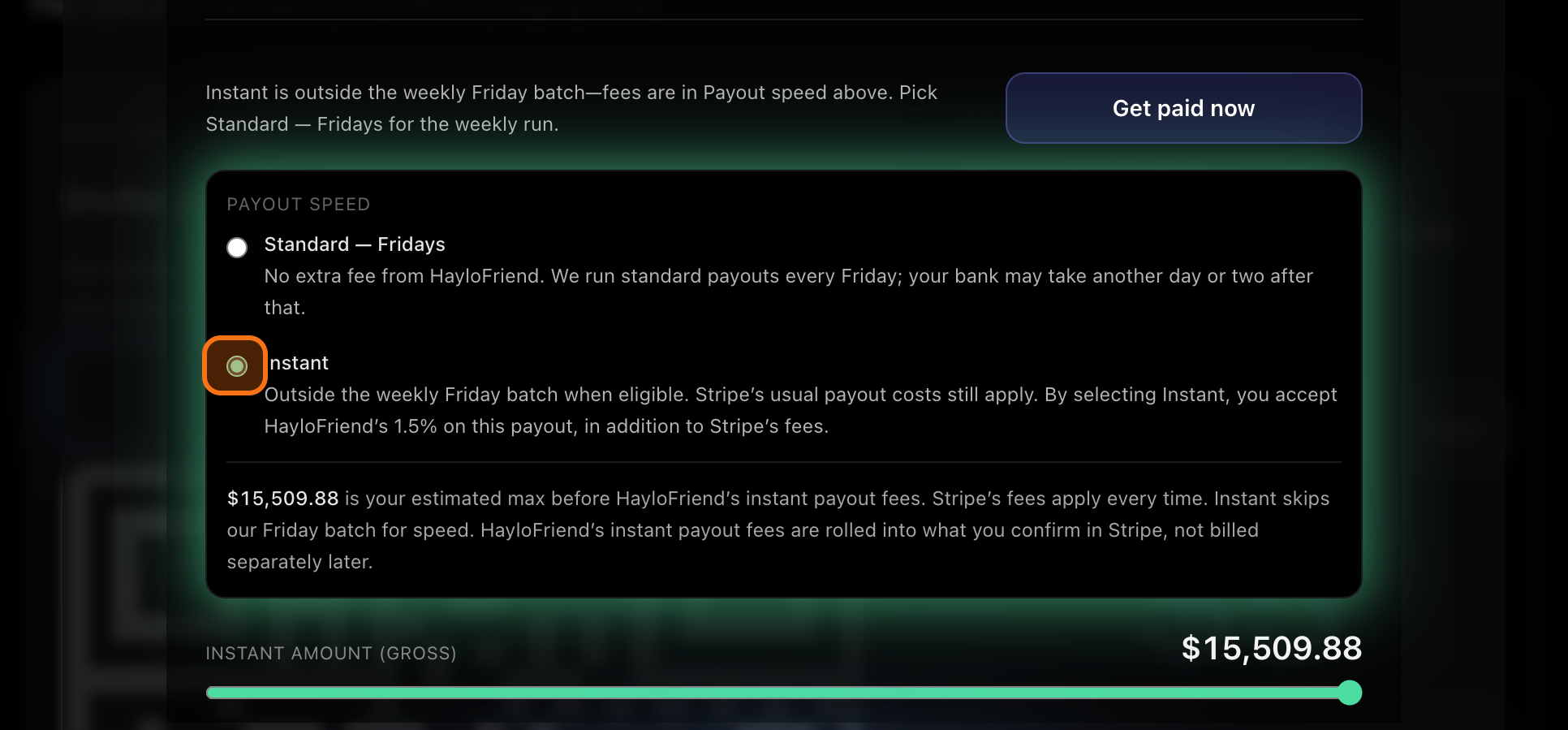
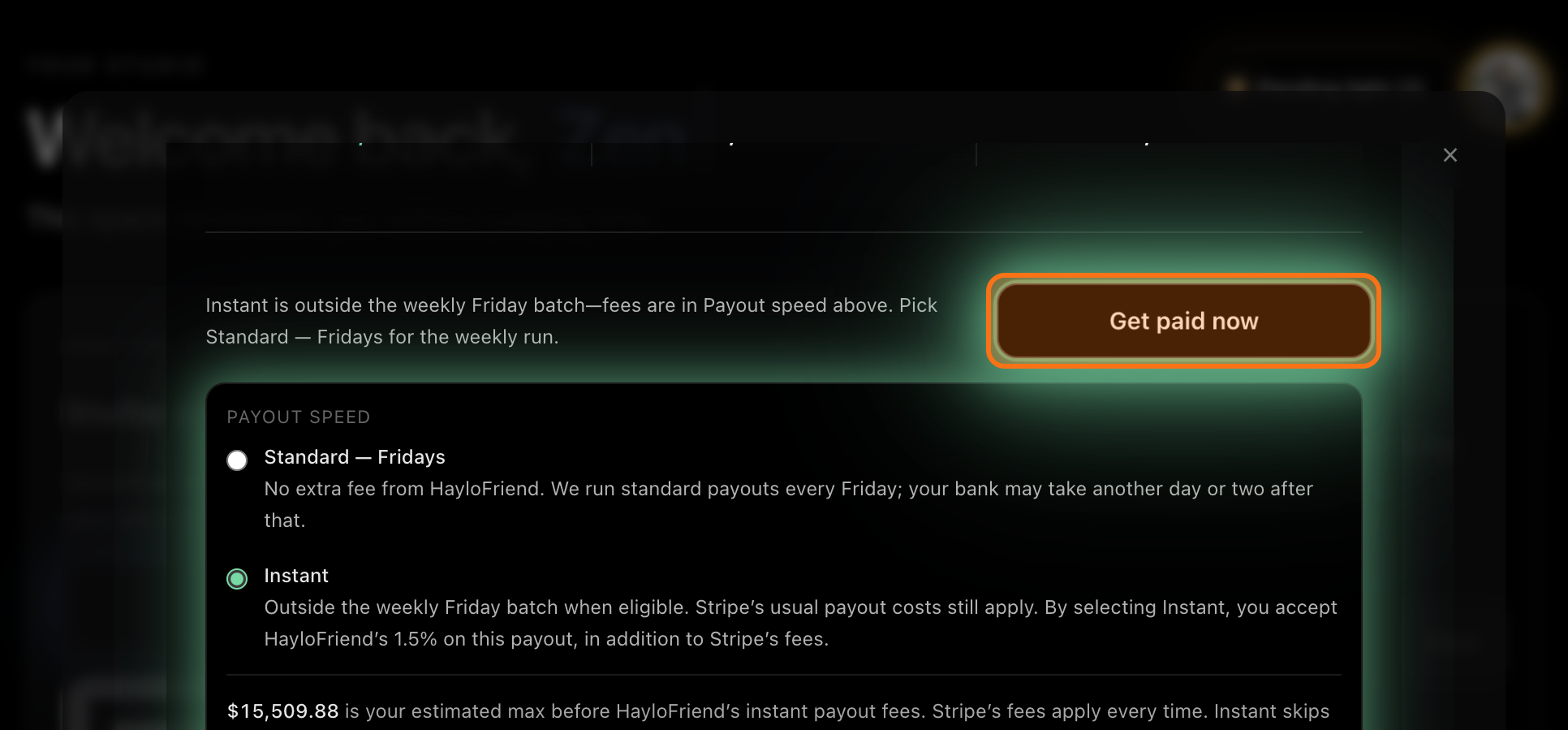
Pick Instant and set your amount
Instant pays you before the weekly Friday run. By choosing it, you accept HayloFriend's 1.5% fee, plus Stripe's usual fees. Use the slider to choose how much to take.
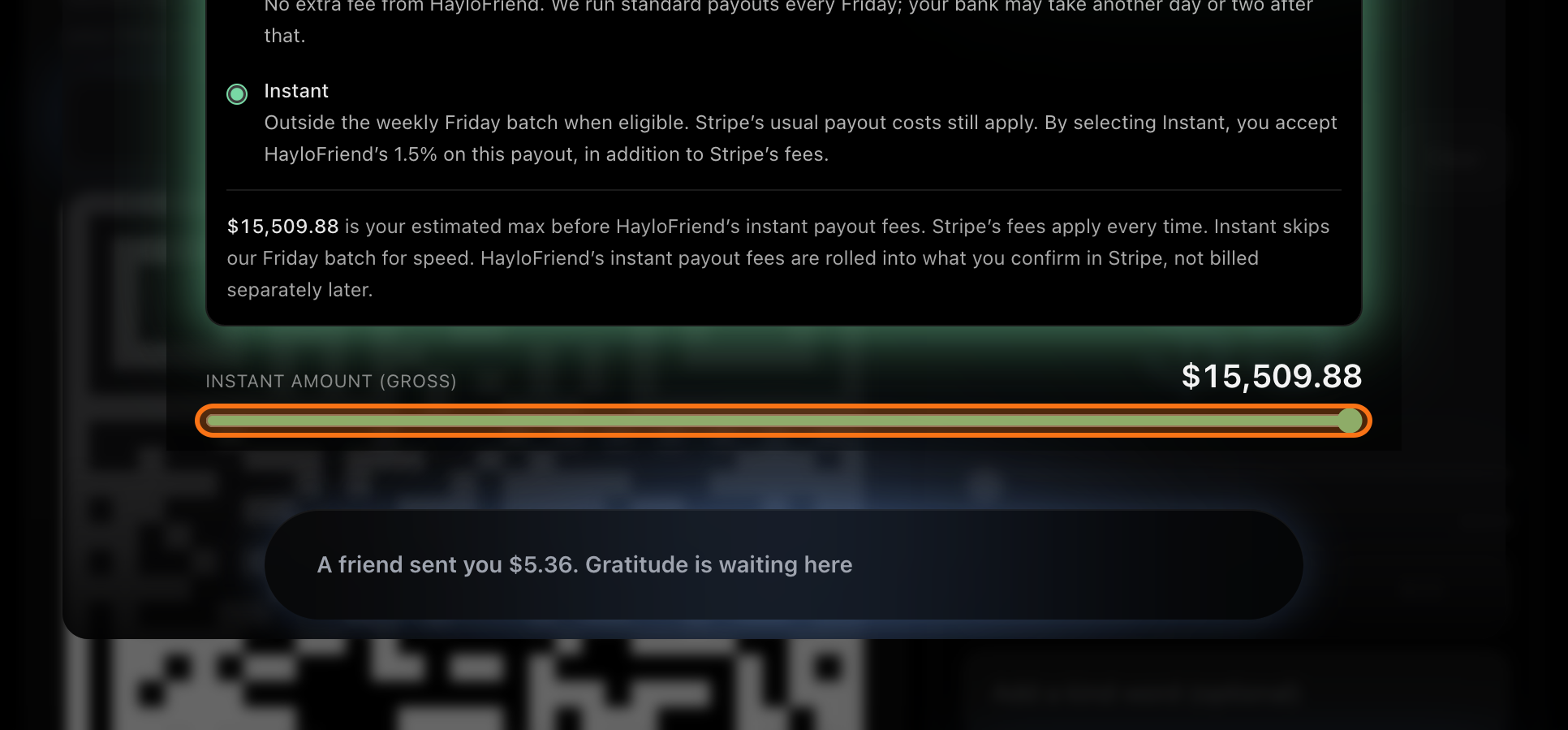
Tap Get paid now
The button shows your amount and updates as you move the slider. Once you submit, Stripe texts you a confirmation while your money is on its way.
After
Good to know
Something look off with a payout? Email support@haylofriend.com from the email you use to sign in to HayloFriend, with the amount and roughly when you expected it. Using your sign-in email lets us find your account right away.
FAQ
Common questions
Open Your impact, tap Ask the Universe, open the Reality tile, choose Instant, set the amount with the slider, and tap Get paid now.
1.5% of the payout to HayloFriend, plus Stripe's usual fees. The 1.5% is rolled into the amount you confirm in Stripe, not billed separately later.
Instant shows when your Stripe account is connected and finished, your HayloFriend and Stripe balances match, and you have at least $3.33 available.
Instant skips the weekly Friday batch for speed. The exact time to land is set by Stripe and your bank.